Adding Service Principals
Once you created the Service Principal(s) with the required permissions in your Azure environment, you must configure them in CloudDIET.
note
You must have completed the previous CloudDIET Permissions steps before proceeding.
Configuration Steps
- Login to CloudDIET, navigate to Settings, and then Credentials.
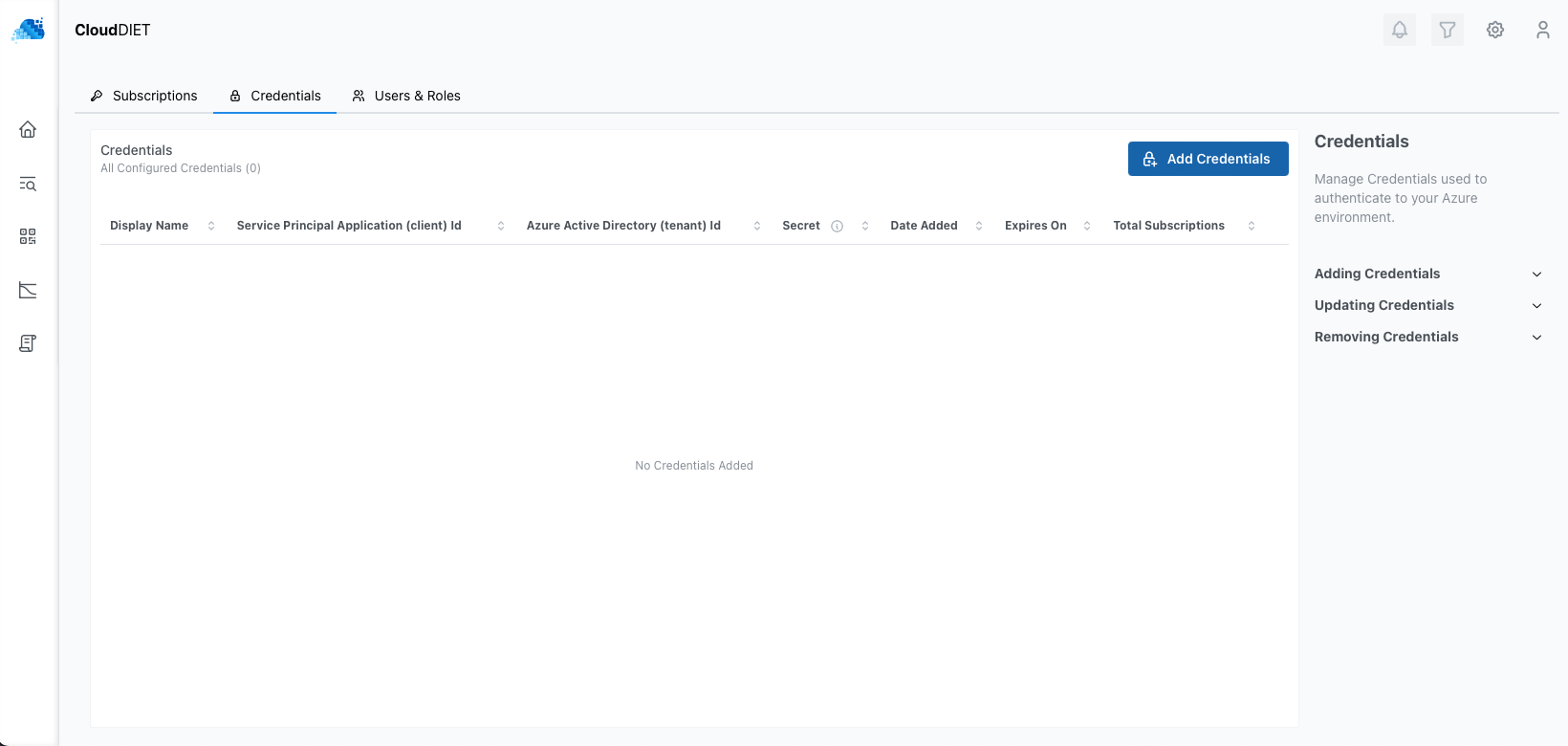
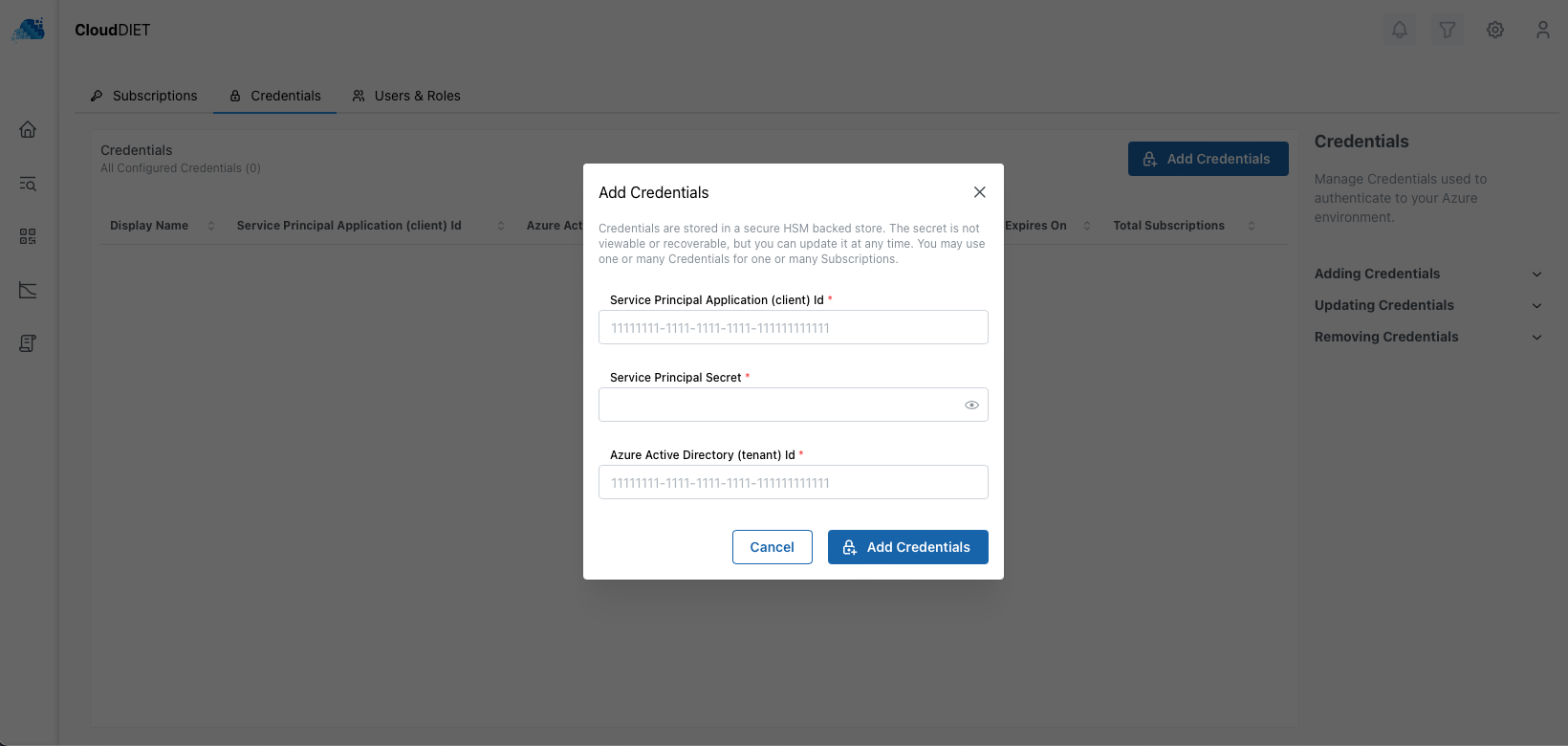
- Click the Add Credentials button and provide the Service Principal details from the previous CloudDIET Permissions step. The Service Principal will be validated automatically to ensure it can properly authenticate.
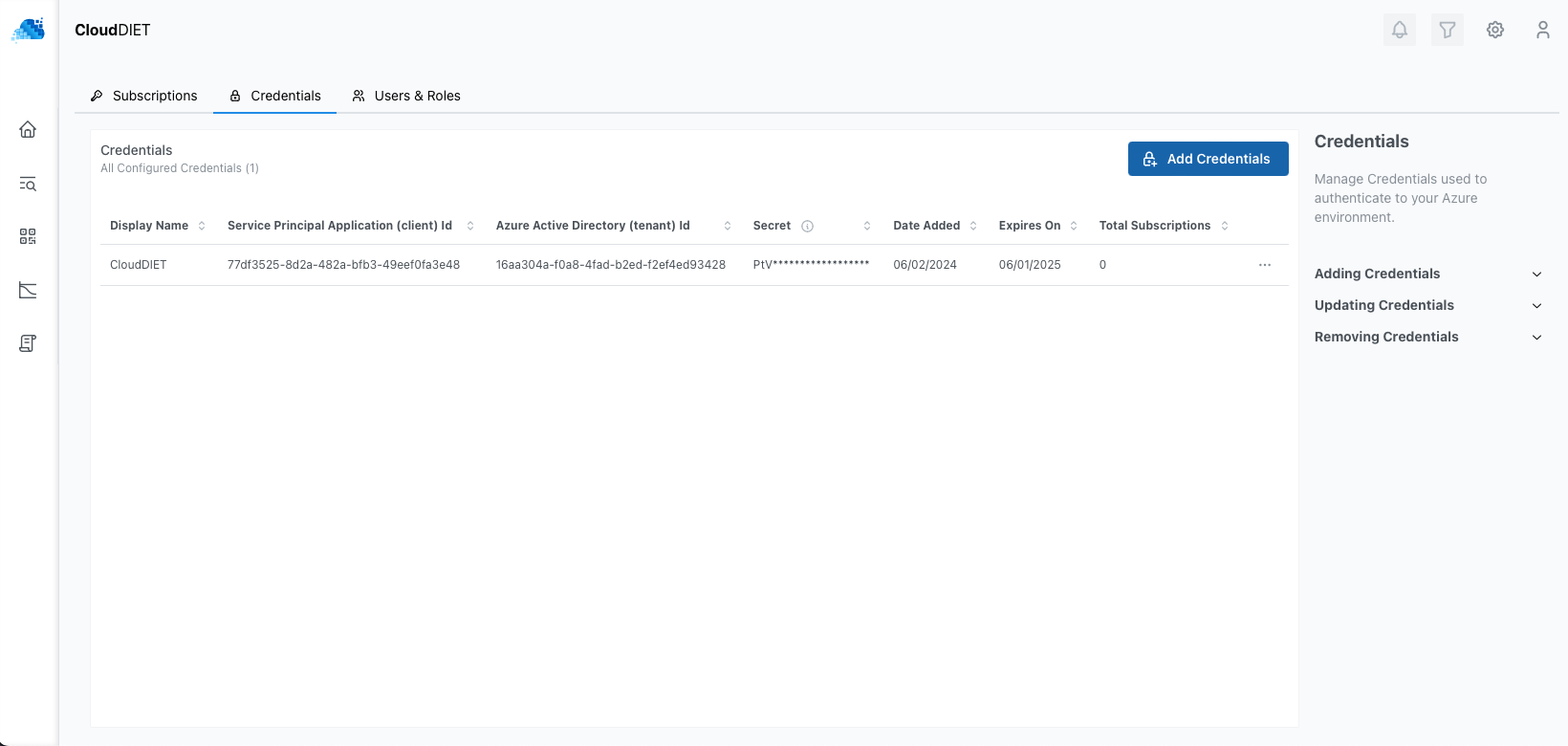
- Once added and validated, you will see the Service Principal(s) listed and the secret expiration date. You can now configure your Azure Subscriptions in CloudDIET.
note
Credentials are securely stored in an HSM-backed vault with a zero-trust security model. At any time, you can revoke access to your credentials by deleting them from the CloudDIET portal or by deleting the Service Principal(s) secret and/or account from your Azure Active Directory.
Additional Information
Management / Service Principals