Optimizations
CloudDIET profiles your Azure environment to identify hundreds of cost-saving optimizations across both infrastructure (IaaS) and platform (PaaS) resources. We continually expand our optimization capabilities, keeping pace with Azure’s ever-evolving landscape, which includes pricing changes, new incentives, SKUs, services, and cost-influencing features.
While the complexity of this task demands a broad and deep understanding of Azure, we handle this heavy lifting for you. Our approach ensures that you receive clear and actionable information, often leading to those “aha!” moments where the path to cost savings becomes readily apparent and easy to understand. We employ several methods to distill this information and present it in an easily consumable way, such as:
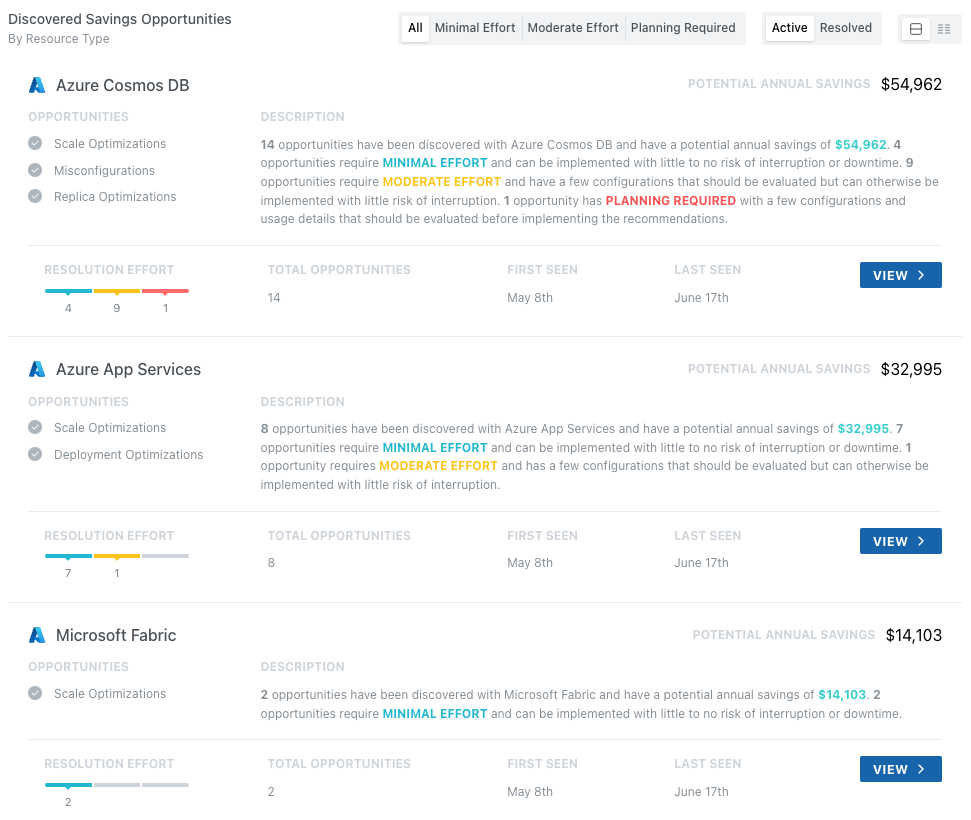
- Categorizing savings opportunities into Minimal, Moderate, and Planning Required levels of effort required to realize savings.
- Providing configuration details and usage metrics relevant to the savings opportunity.
- Provide detailed guidance on what the savings opportunity is, how the costs accrue, and any risks involved.
- Provide detailed guidance on how to implement and realize the savings, and when you will start to realize the savings once implemented.
Categories
 | Minimal EffortSavings Opportunities that can be realized with little effort and no risk. For example, pausing a Microsoft Fabric capacity that has had no utilization or stored data over a long timeframe. |
 | Moderate EffortSavings Opportunities that have configuration changes or utilization which should be reviewed, but can otherwise be implemented with little risk of interruption. For example, implementing indexing policy changes on Azure Cosmos DB. |
 | Planning RequiredSavings Opportunities that have configuration changes or utilization which need to be reviewed, and testing, validation, and/or planning is necessary. For example, purchasing compute Reservations or significant licensing changes. |
Summarized Savings Opportunities
Savings Opportunities are primarily organized by the Azure service, but you can pivot the findings in several ways. For example, the Discovery view shows opportunities for Azure Cosmos DB, Azure App Services, and Microsoft Fabric. As you view the details for any one of those services, you'll find different opportunities, requiring different levels of effort, across different resources.
Savings Opportunity Details
Viewing the individual savings opportunities, you see the impacted resource details, potential savings, and relevant configuration and utilization metrics. From the dropdown, you can view the savings opportunity description along with the resolution guidance.
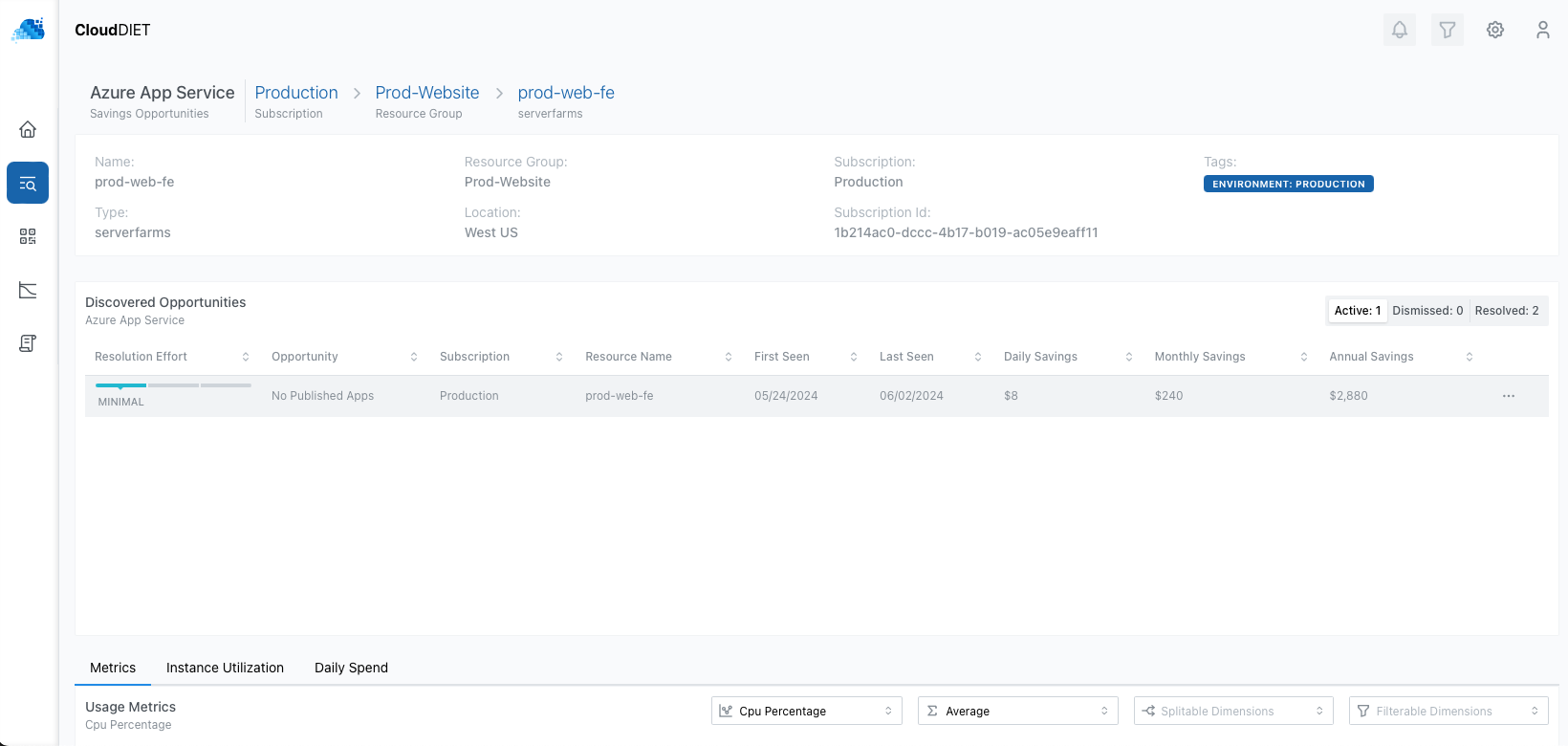
The Daily, Monthly, and Annual savings is the amount you would realize by implementing the recommendation and not the full cost of the resource.
Dismissing Savings Opportunities
If a discovered Savings Opportunity is not relevant to your environment, you can dismiss it. This will remove it from the active list and the opportunity costs will not be reflected in the Potential Savings or Realized Savings.