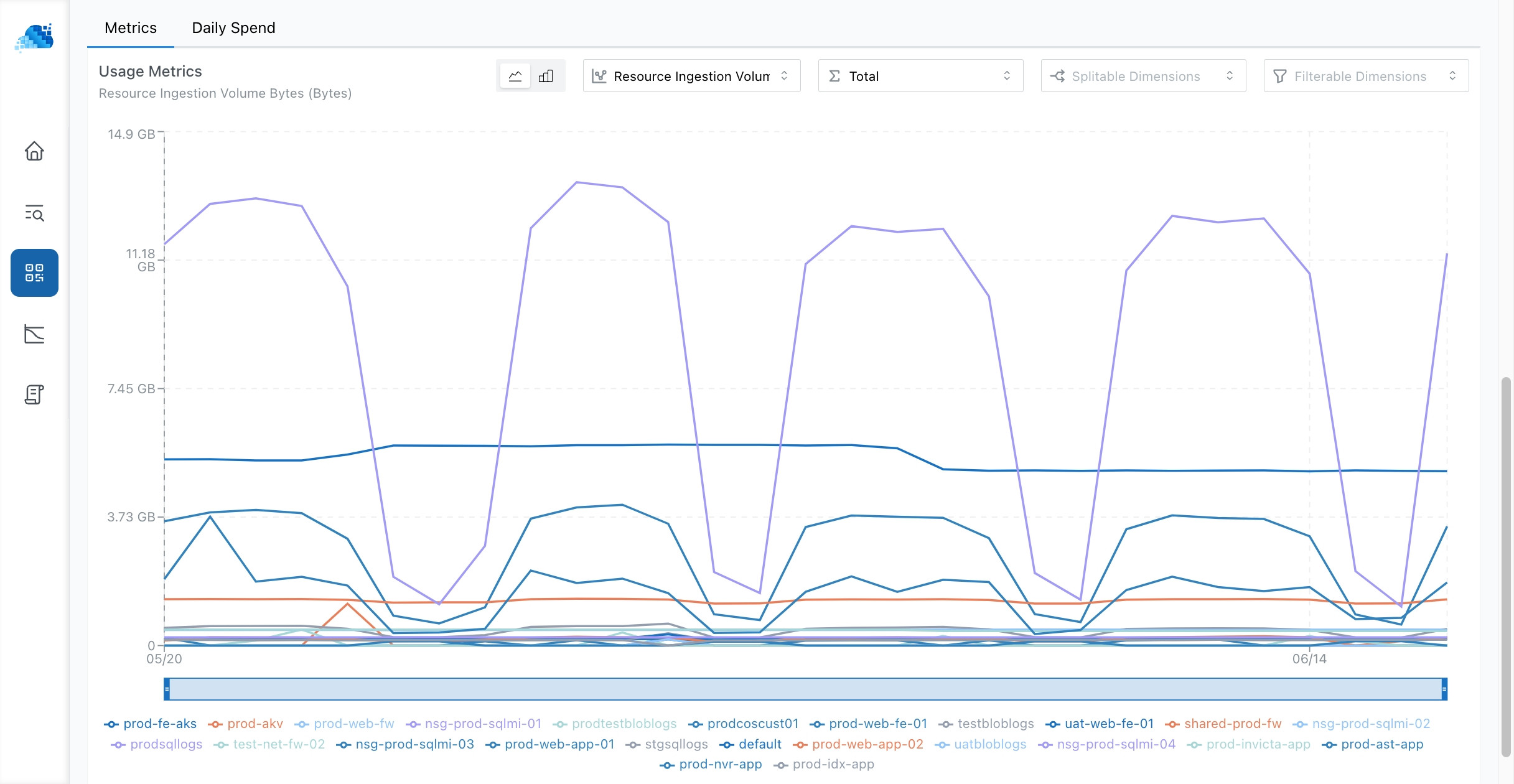
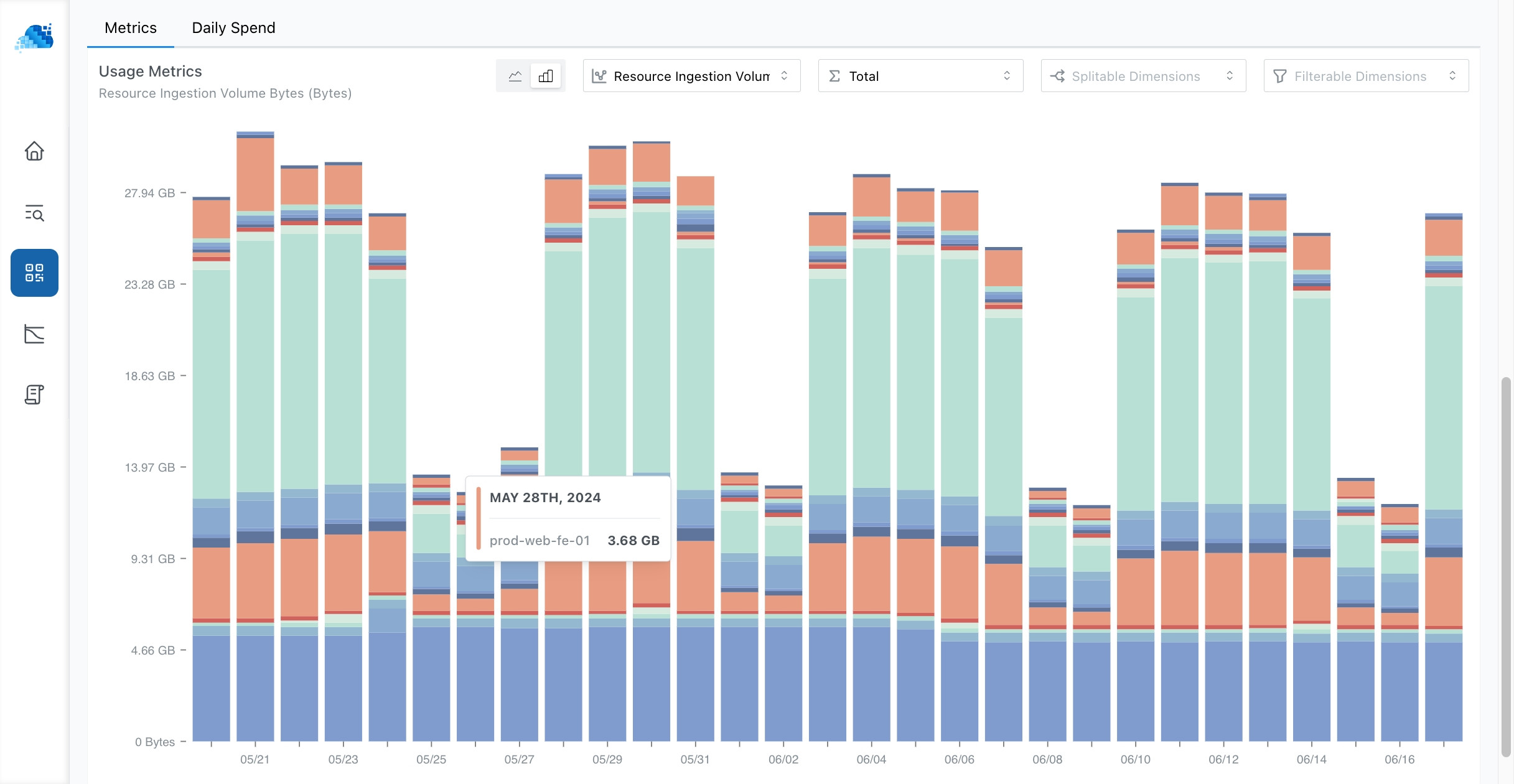
Cost Explorer
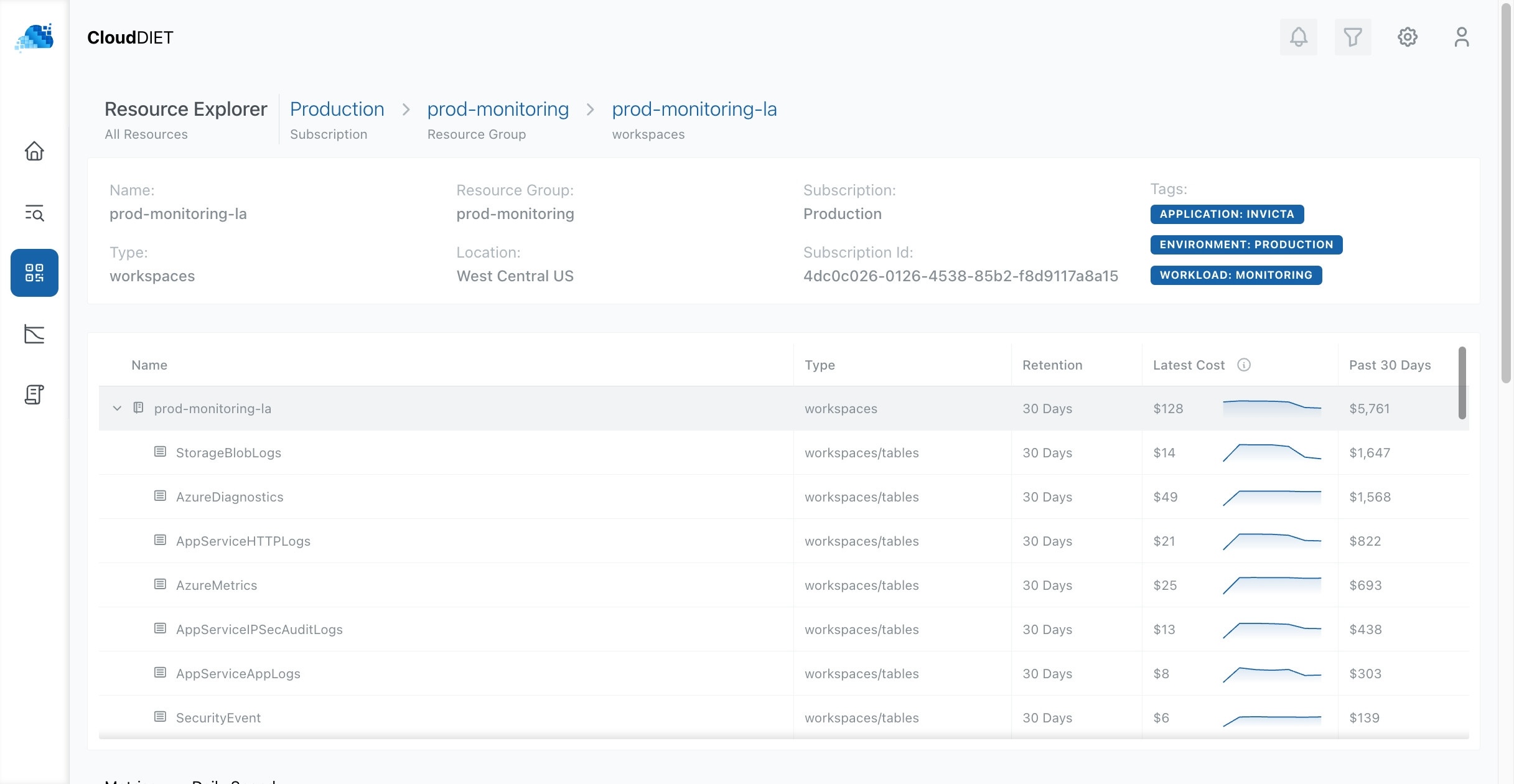
CloudDIET’s deep understanding of cost factors allows us to attribute expenses at a more granular level than standard billing reports. For example, while Azure billing typically aggregates costs at the Workspace level for Log Analytics, CloudDIET breaks it down to the Table level, pinpointing the most costly tables.
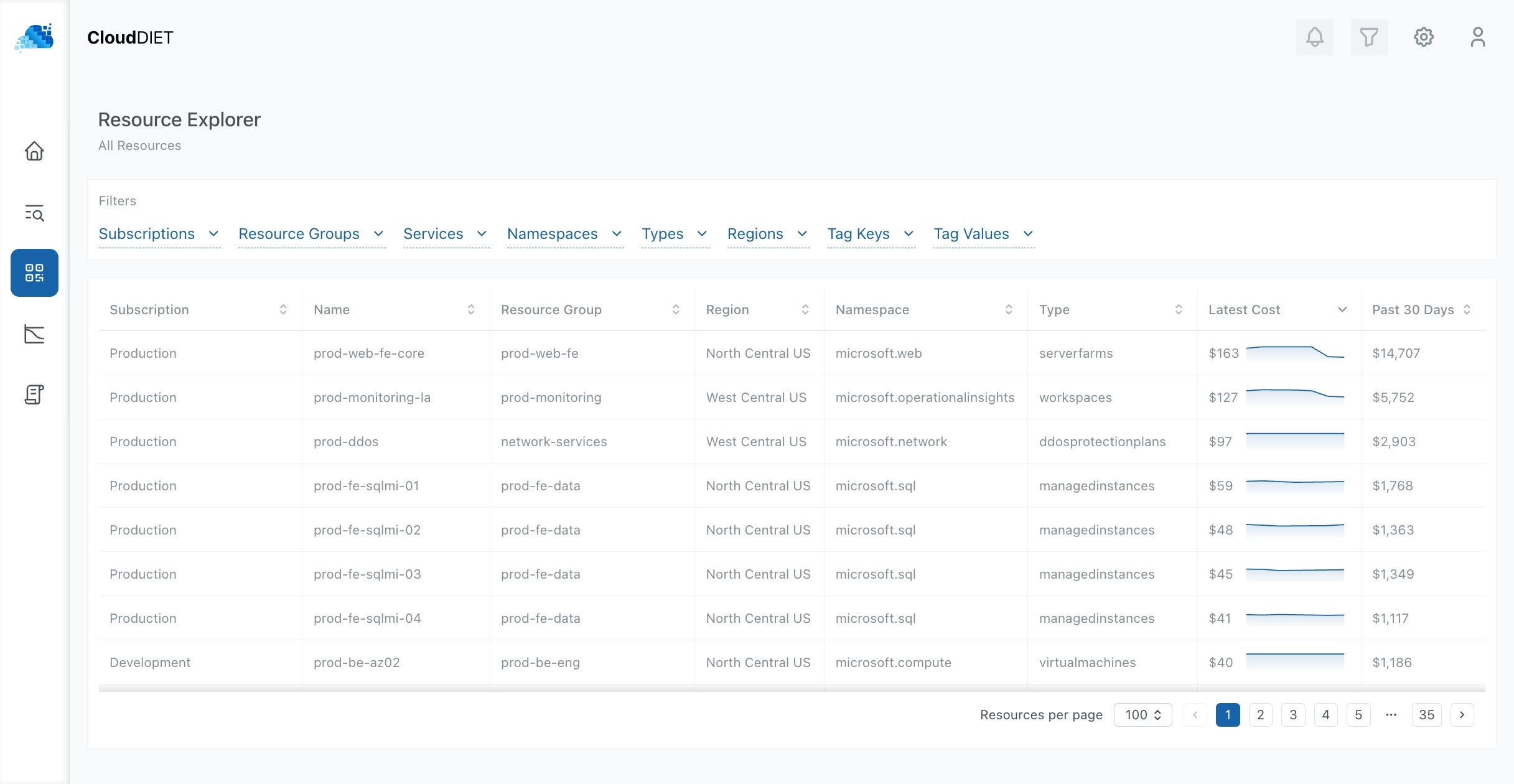
Search, Filter, and View Resource Cost Trends
Explore your Azure resources and costs with greater detail and granularity. View, filter, and analyze resources across your environment. Monitor cost trends over the past day, week, and month. Select specific resources for deeper exploration.
Cost Attribution
For many Azure services, we can attribute costs at a more granular level than standard billing reports. In this example, while Azure billing typically aggregates costs at the Workspace level for Log Analytics, CloudDIET breaks it down to the Table level.
Metric Attribution
Along with visualizations for the more granular cost attribution, you can view utilization metrics in finer detail. In this example, you can see the amount of logs ingested to the Log Analytics Workspace by table and by the source resource. These visualizations can be filtered and pivoted on multiple dimensions not available in Azure Monitor.